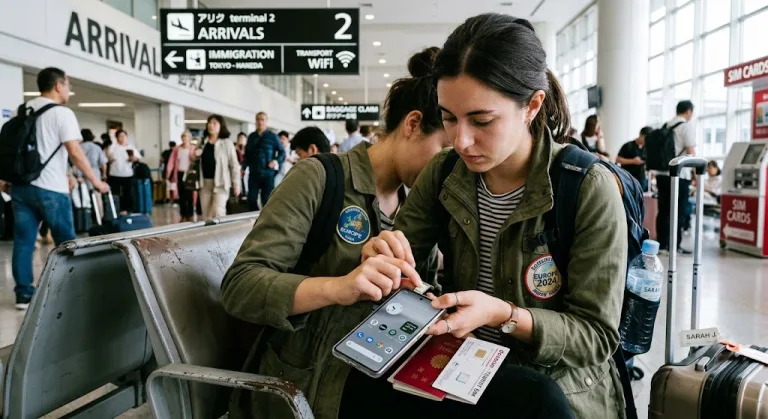
Land in a new country without data and your first hour becomes a navigation scramble. Here’s exactly how to get—and stay—online abroad, from SIM selection to installation, so your trip flows from touch-down.
Why overseas SIMs (and eSIMs) matter now
Travelling abroad without mobile data means relying on patchy airport Wi-Fi, getting lost more easily, and struggling to book rides or confirm accommodation. A local SIM or eSIM lets you connect instantly, often for a fraction of roaming fees.
Overseas SIM cards and data plans remove the friction of travel in practical ways: you can map your route on arrival, translate signs, and access real-time bookings right from your phone. Even if your hotel or Airbnb promises Wi-Fi, data access is what keeps you untethered and safe on the ground—especially in cities where ride-hailing, mobile payment and QR menu scanning are standard.
As of mid-2020s, eSIMs have made life much easier in dozens of countries, letting you buy, scan, and activate a local plan before your flight lands. Classic physical SIM cards still have a place for budget travellers or those with older phones—just expect a bit more setup time.
SIM vs. eSIM vs. roaming: which is right?
eSIMs are digital “embedded SIMs” pre-installed in recent phones. You simply scan a QR code from an online provider, install their plan, and activate data on arrival. They’re best for most travellers—no fiddly card swaps, instant setup, and multi-country options. Physical SIMs require visiting a shop (airport or city) and swapping your card. Roaming uses your home plan abroad, often at a high cost but with no setup required.
If your phone supports eSIM (most iPhones from XR/XS onward, and select recent Android models), it’s the cleanest option: rapid install, easy top-ups from anywhere, and stress-free swaps between multiple plans. For older or dual-SIM devices, physical cards still work—usually cheapest from convenience stores or kiosks in your arrival terminal. Roaming is fine for emergencies, but costs escalate fast and some functions (like hotspot) may be disabled. International eSIM providers—like Airalo, Holafly, Nomad and Saily—offer wide coverage and competitive rates, but local eSIMs (bought from actual telecoms of your destination) sometimes win for speed and price.
“Landing connected isn’t a luxury anymore—it’s basic travel infrastructure. Pick a plan before you board and save yourself confusion, queues, or blackout hours in arrivals.”
The buying process: what to expect (airport, online, or in-town)
The easiest way to buy data for travel is often before you leave: eSIMs can be purchased online (from reputable providers) and installed in minutes. Compare plans for your specific country or region, checking coverage maps and included services (voice/SMS, not just data).
Airport SIM counters remain convenient for physical cards, ensuring a local technician helps with install and activation. Prices are rarely the lowest—but you trade a few extra dollars for immediate access and peace of mind, especially after a red-eye flight. In most countries, you’ll need your passport to register a SIM. In town, convenience stores and telecom shops offer similar (sometimes slightly cheaper) deals—useful if you want to comparison shop or missed airport counters.
| Option | Setup Time | Price Range | When Best |
|---|---|---|---|
| eSIM (global provider) | 2-10 min | Mid—High | Before landing, major city |
| Local SIM at airport | 10-30 min | Low—Mid | Arrival, immediate help |
| In-town telecom shop | 15-45 min | Lowest—Mid | Budget, long trips |
| Home-roaming | 0 | Highest | Short layovers, urgent use only |
Always test your data works before you leave the counter. If your phone is locked to a specific network, request an unlock code from your provider before departure.
Avoiding common pitfalls with overseas data
The biggest issues? Getting stuck at customs with no data, realising your device is locked, or burning through your allowance in hours due to background updates. Check in advance if your phone is unlocked and supports your chosen SIM type. Always download offline maps of your first city and verify your “Data Roaming” setting is toggled ON after install but OFF before, to avoid accidental charges.
Don’t expect unlimited plans to mirror home—many throttle after a few GB, especially on discount eSIMs. Streaming, large downloads and heavy video calls eat up data quickly. Use public Wi-Fi for large files, but treat unknown hotspots with caution—avoid entering sensitive payment info when connected to unfamiliar networks. For step-by-step destination specifics, see our Hualien, Taiwan travel guide or our Lombok, Indonesia travel guide.
Flying into Hanoi late at night? Pre-purchase an eSIM from a provider like Airalo, activate it on Wi-Fi at your layover, and your phone works the second you step out of immigration. Missed it? Head to the Viettel or Mobifone counters at the airport—pay a few dollars more, but walk out ready to grab a Grab, find your hotel, or message home without waiting for city shops to open.
Staying topped-up and connected throughout your trip
Top-ups are easy online with eSIMs (usually in the provider’s app or web portal), but can require a local payment method with physical SIMs. Use multi-country plans if hopping across borders—especially in Europe, Southeast Asia or Latin America—otherwise, buy country-specific plans for better speeds and value.
Set a recurring calendar reminder for multi-week trips to check your remaining balance. Consider a local backup SIM or a portable Wi-Fi hotspot if travelling to remote or rural areas with patchy coverage. Always carry a paperclip or SIM tool for physical swaps. For further deal-hunting, compare options listed on our travel deals and offers.